Your permit and your cars
See your permit, add or remove a car, renew, buy a permit, or join the waitlist.
Add or remove a car
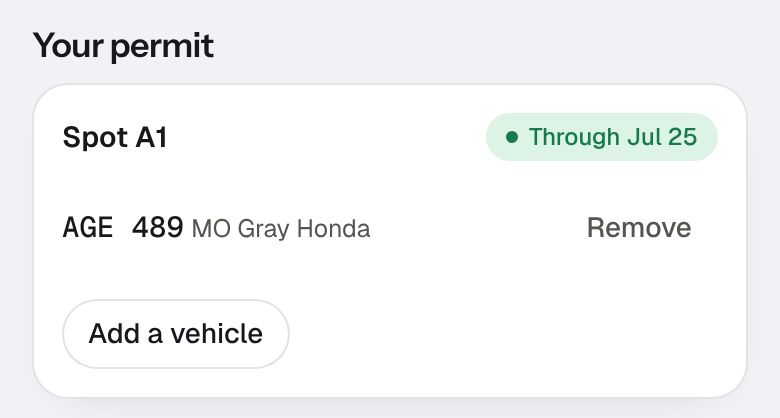
Under Your permit, you see how long it's good for and the cars on it.
- To add one, choose Add a vehicle, type the plate, state, make and color, and choose Save vehicle.
- To take one off (you sold it, say), choose Remove next to it.
Renew or buy a permit
- When a paid permit is close to ending, you get emails 14 and 7 days before, and the day before a text if you turned on Text me on your page (an email if not). Choose Renew for (it shows the price) on your page and pay by card.
- If your property sells permits, Get a permit on your page lets you pick one, add your plates, and pay.
- If they're all taken, choose Join the waitlist. We email you when one opens up.