Checking the lot
Inviting the people who check plates, setting their hours, what they see, and walking the lot.
- Invite whoever checks the lot
- Hours, pausing, removing, and tows
- What they see in the app
- Walking the lot (sweeps)
Invite whoever checks the lot
Attendants, volunteers, a board member, or a patrol company check plates with the free Parkeeper Attendant app. They see only the lots you give them and never residents' names: just whether a car is allowed, its spot, and its description. That's what makes it safe to hand the job to a volunteer or an outside company.
When to use it: your permits are in. Invite them earlier and their first checks will call every car "not authorized".
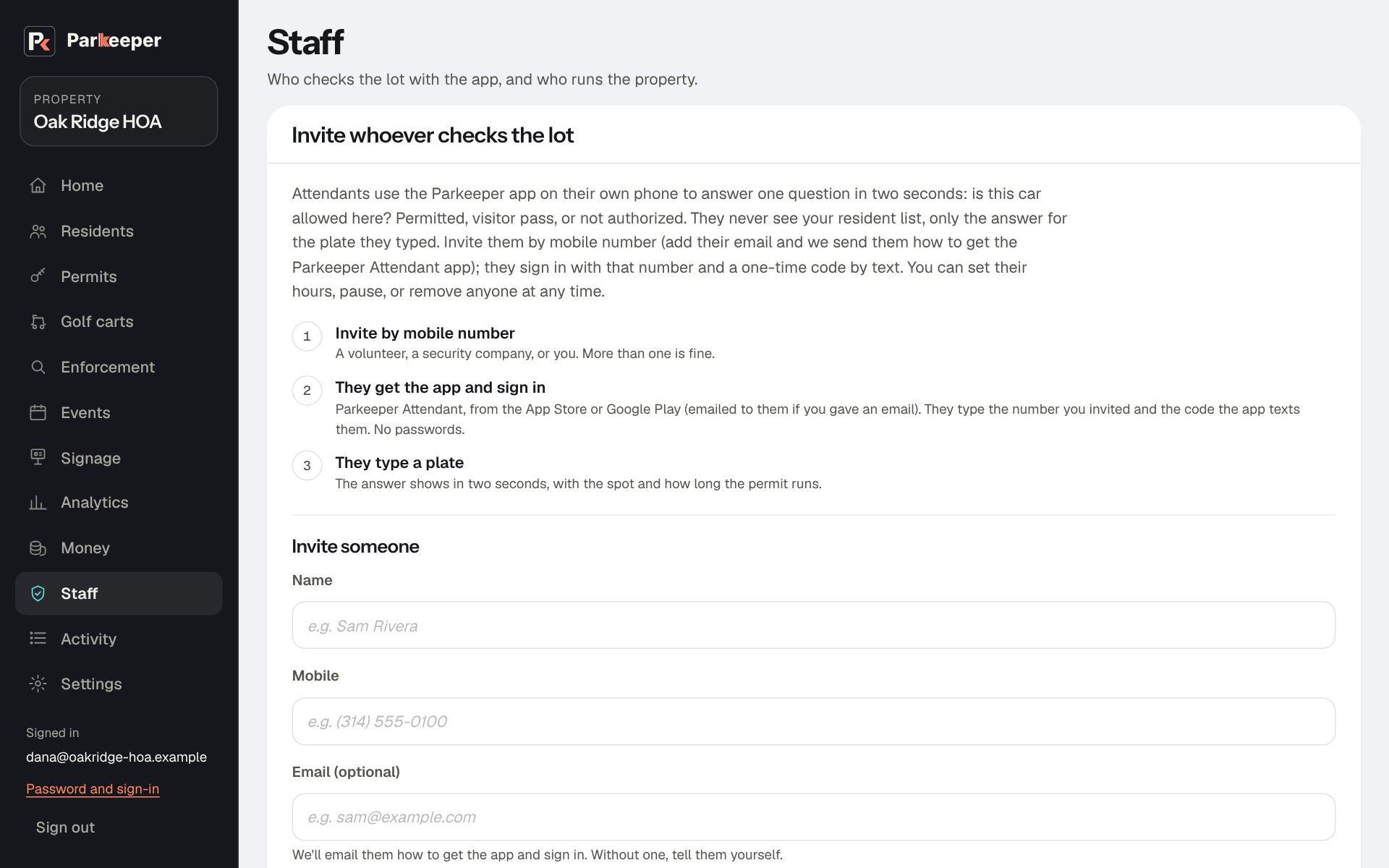
- Go to Staff and open Invite someone.
- Type their Name and Mobile. The mobile is how they sign in to the app, with a one-time code.
- Add their Email if you have it; we'll send them how to get the app and sign in. Without one, tell them to get Parkeeper Attendant from the App Store or Google Play.
- Pick their Lots: only the lots they actually check.
- Choose Send invite, and send them the attendants' guide.
Hours, pausing, removing, and tows
These controls decide when someone may check and what they may do. Use them to match your agreement with that person, and to end access cleanly when the job ends.
- Hours or remove: for someone who should only check at certain times, like a volunteer on Sunday mornings or a patrol company overnight. Untick Any time, pick the days and hours (in the lot's time; overnight works), and choose Save hours. Outside those hours, the app tells them when they can check again.
- Pause: for a break, a dispute, or while you look into a complaint. It stops checks at once but keeps their sign-in and history, so Resume picks up where they left off. Both are recorded in Activity.
- Remove from your property: when the job is over. It ends their access to all its lots for good. What they logged keeps their name, so your records still say who did what.
- Can request tows: the On/Off switch in that column decides who may ask for a tow from the app. It's off for everyone to start; turn it on only for people you trust to make that call. See Set up your tow company.
What they see in the app
They type a plate (or confirm a close match the app suggests, for a smudged or misread plate) and get one of three answers: permitted, an active guest pass, or not authorized, with the spot and the car's description. From "not authorized" they can log a warning or a violation with a photo, or ask for a tow if they're allowed.
Every warning needs a photo. That's your evidence if someone says their car was never there.
If the phone loses signal, the app answers from what it saved earlier, labeled "offline check", and sends what they logged when it reconnects. Before a warning, violation, or tow, it checks the plate live one last time, so a guest whose pass was made a minute ago isn't warned.
When someone's access ends (you paused or removed them, turned off Someone checks the lot with the app, or your Parkeeper plan ended), the app tells them Account deactivated and to contact you, and clears the plates saved on their phone.
Walking the lot (sweeps)
A sweep is a walk of the whole lot, checking every spot. Every plate lookup already counts toward how full the lot is; a sweep fills in the rest, so Analytics shows the real picture, not just the cars someone happened to check.
When to use it: a few times a week at different hours, especially your busiest ones. Before you change how many permits you sell, two weeks of sweeps tell you what the lot really looks like.
The app starts each sweep with the plates already looked up recently, so nobody checks the same car twice. Spots nobody checked count as "not observed", never as empty, so a quick walk can't make the lot look emptier than it is. Set how far back a sweep starts under Settings › The lot › When someone walks the lot, count lookups from the last.