Enforcement and towing
The enforcement log, setting up a tow company, and deciding tow requests.
The enforcement log
Enforcement is the record of every warning and violation: the photo, the time, the spot, the reason, and who logged it. It's what you show a resident who disputes a warning, the board deciding a repeat case, or a tow company asking for proof.
When to use it: someone disputes a warning, you're deciding whether a car is a repeat problem, or you're preparing for a board meeting.
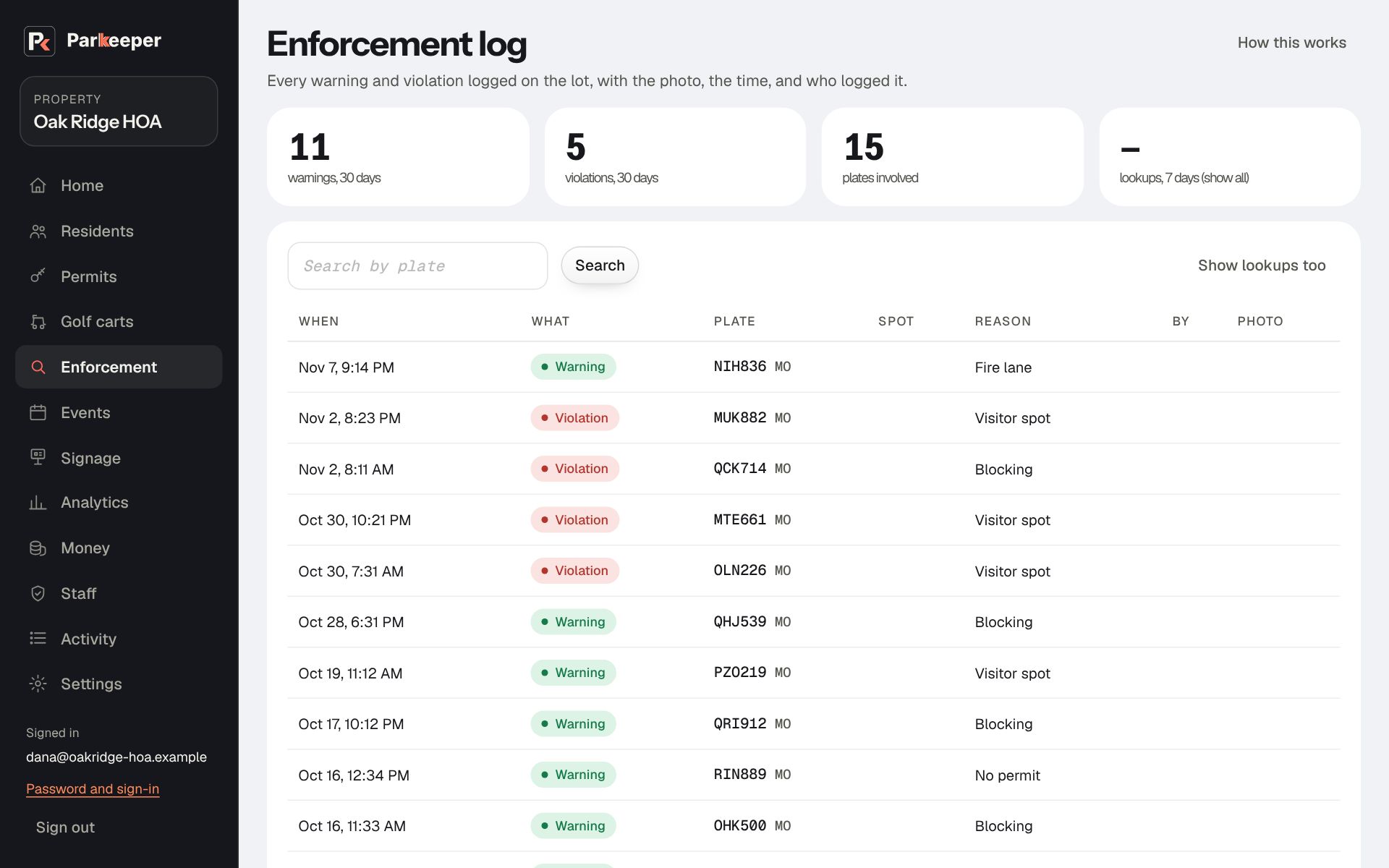
- Search by plate to see one car's whole history, the fair basis for escalating from a warning to a tow.
- Show lookups too adds every plate check, not just the problems. It shows a car was seen and allowed, too.
- When a car was logged soon after a guest pass ended, the reason says how many minutes after, and what the person who logged it wrote about why.
Set up your tow company
Parkeeper records a tow request and sends it to the tow company you choose; it never decides that a car should be towed. Your tow company, your signs, and your decision on each tow are yours, and so is the responsibility for following your state's towing rules.
When to use it: only if you tow, and only after your towing signs meet your state's rules. The towing guide on our site lists the common requirements.
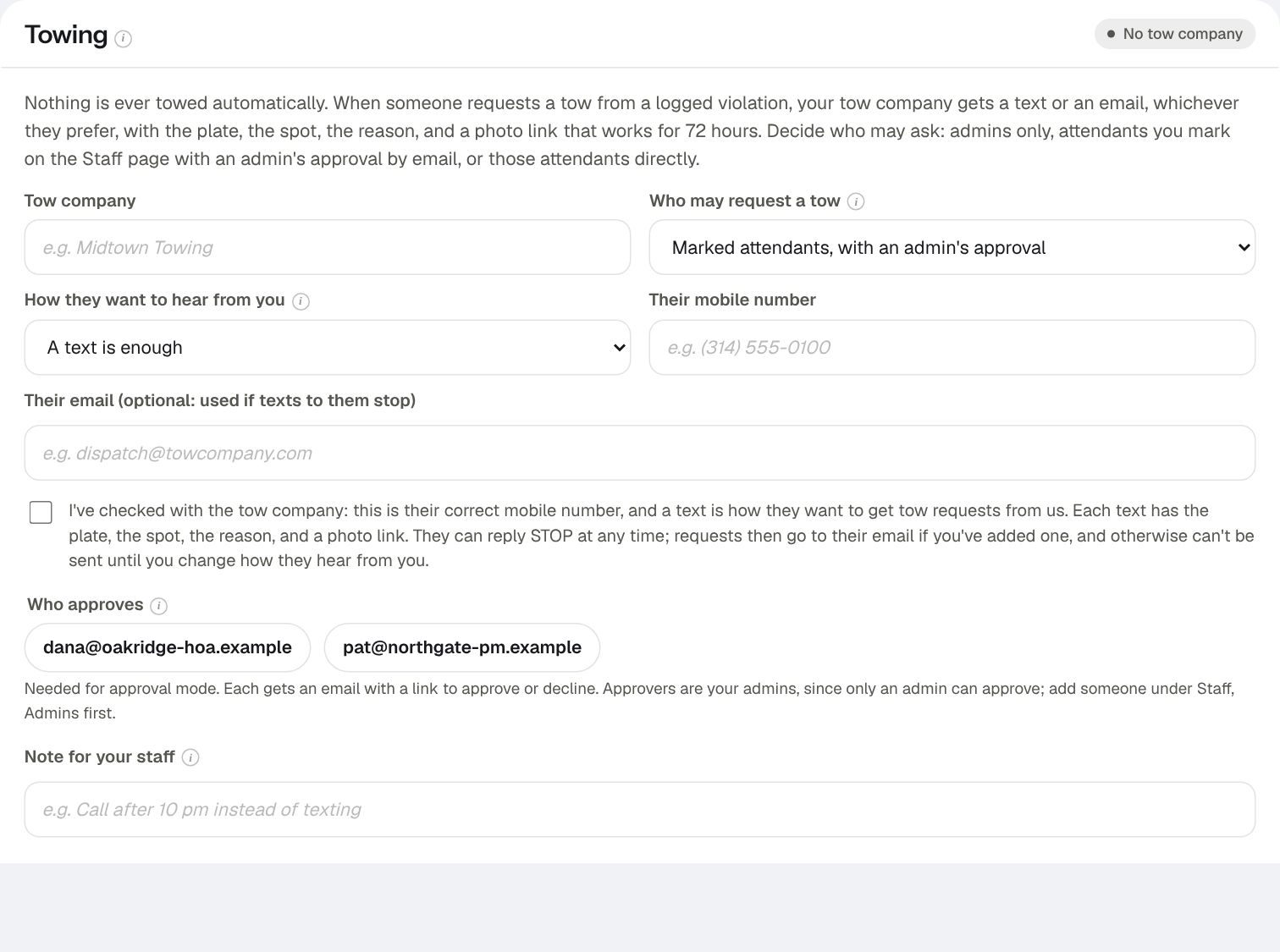
- Go to Settings › Towing.
- Type the Tow company and Their mobile number, and how they want to hear from you. If you choose texting, confirm that you've checked the number with them: requests go to whatever number is here.
- Choose Who may request a tow. Admins only is the safest place to start. Marked attendants, with an admin's approval suits a volunteer or patrol company who spots the car while an admin decides. Marked attendants, one tap is only for a trusted, trained person with the authority to decide alone.
- With approval, tick the admins under Who approves. Pick people who read their email quickly; a request nobody decides is a car that stays.
- Choose Add tow company.
Decide tow requests
Requests that need a decision appear at the top of Enforcement under Tow requests, and approvers get an email with a link. Before you approve, look at the photo and the car's history: is it really unauthorized, and do your signs and rules allow a tow here?
- Approve sends the tow company the plate, the spot, the reason, and a photo link that works for 72 hours.
- Decline closes it. Use it when a warning is enough, or something doesn't add up.
- Once the car is gone, Mark towed, so the record is complete. Cancel withdraws a request already sent (the owner came back, for example); the tow company's link says it was cancelled.