Golf carts
Optional: register golf carts that drive on community streets.
Register golf carts
Some communities require golf carts on their streets to be registered, often with proof of insurance on file with the association. Registration is separate from parking: a registered cart doesn't take a spot or count against any permit.
When to use it: your community's rules require cart registration. Turn it on under Settings › What's on › Register golf carts; Golf carts then appears in the menu.
- Go to Golf carts and find Register a cart.
- Pick the Unit (or Not tied to a unit, for a club's or the association's own cart).
- Choose how the cart is identified: Community decal or State plate, and type it. Use whatever is actually on the cart, since that's what someone will read.
- Pick how long it's Good for (6, 12, or 24 months), matching your community's renewal cycle, and note any fee you collected (for your records only).
- Choose Register this cart.
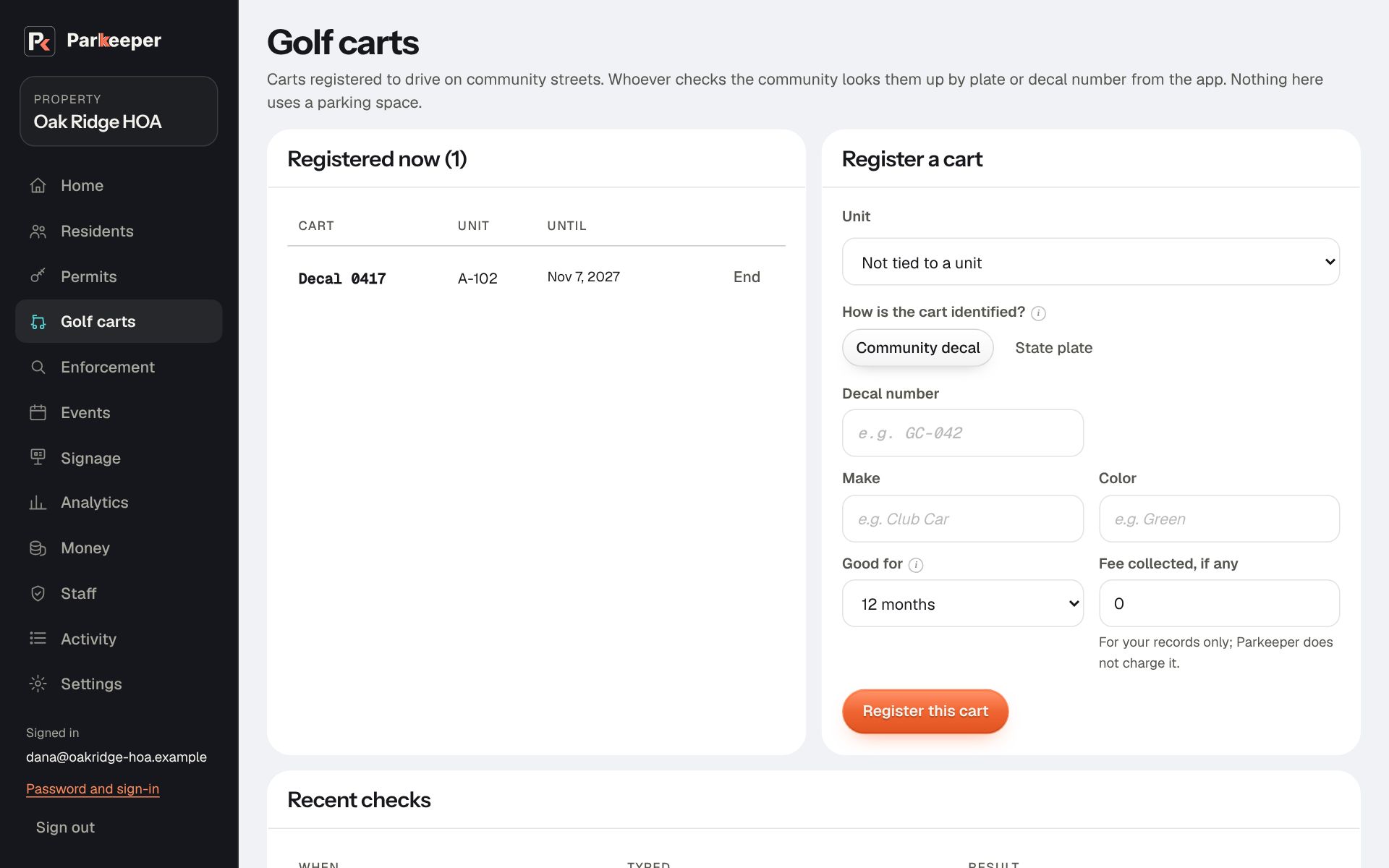
Recent checks shows the carts looked up around the community. End ends a registration, for example when a cart is sold.