Money
Getting paid, who pays the fee, the ledger, cash and checks, refunds, payouts and disputes, statements, and exports.
- Connect your bank account
- The money page
- Record cash or a check
- Refund a payment
- Payouts, disputes, and tax forms
- Monthly statement
- Export your records
Connect your bank account
To sell permits or passes by card, connect a bank account. Money from each sale goes straight to your bank through our payment processor, never through Parkeeper, and we never see card or bank numbers.
When to use it: once anything has a price. Until then, you don't need it, and nothing about payments shows.
- Go to Settings › Getting paid (or the step on Home).
- Choose Connect your bank account. A secure form from our payment processor opens right in the page.
- Have your EIN (or SSN, if the property is run by a person), the business address, and the bank account ready. It takes about five minutes. The processor needs them by law to pay you.
- When it says Bank account connected, you're done. If it says something is still needed, choose Finish connecting; until then, payouts wait.
Who pays Parkeeper's fee?
You do: the fee comes out of your payout, and people pay exactly your price. Best for residents, who expect the posted price. The parker: it's added as a service fee at checkout, and you keep your full price. Common for visitor and event parking.
The money page
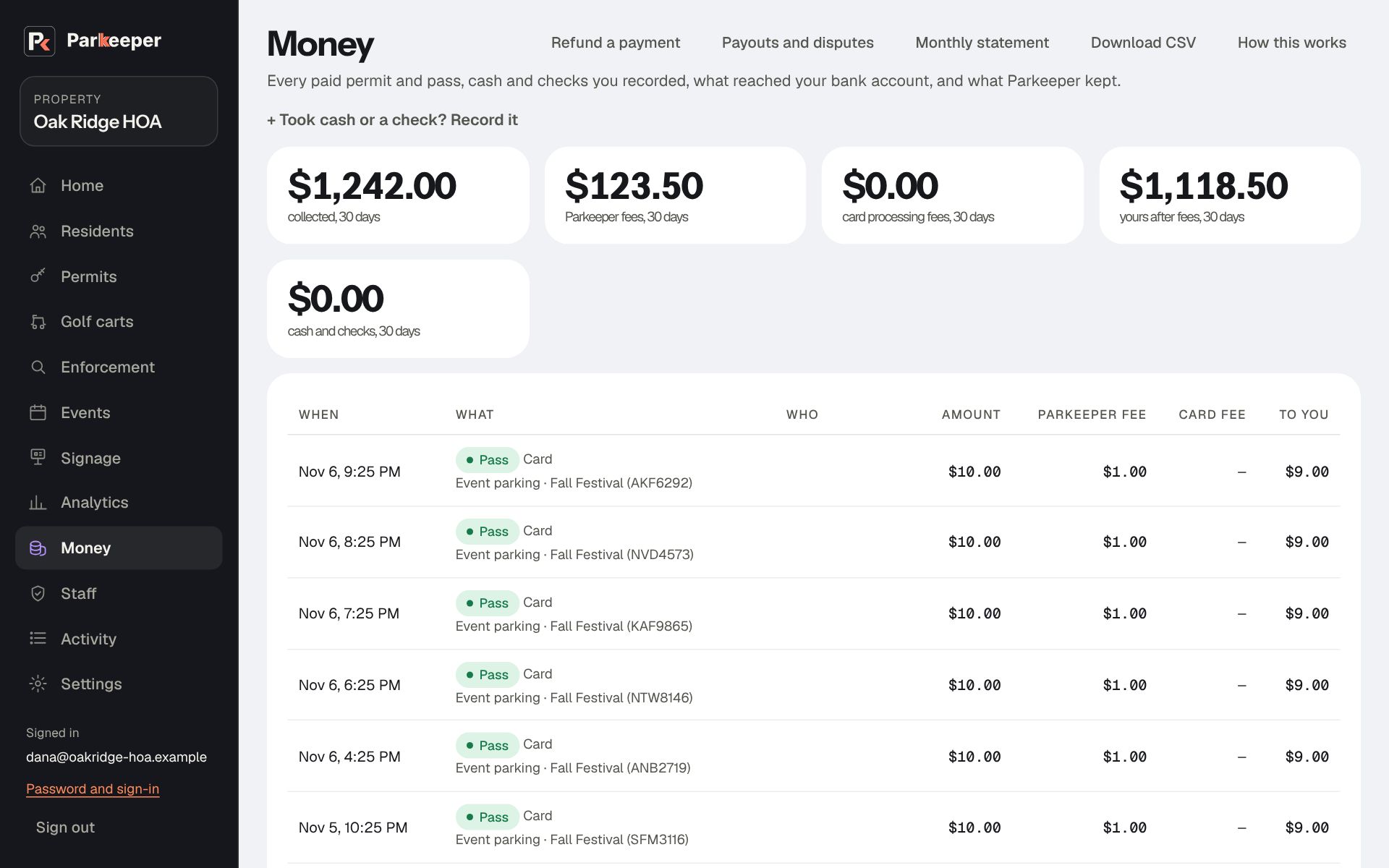
Money is the ledger: every paid permit and pass, cash and checks you recorded, refunds, what Parkeeper kept, and what reached you, with totals for the last 30 days. Nothing is ever deleted from it; corrections are new lines, so the history always adds up.
When to use it: reconciling with your bank or treasurer, answering "did they pay?", or preparing a board report.
Record cash or a check
Recording cash and checks keeps one ledger for everything, so your statement and reports are complete, and lets a check renew a permit the same way a card payment does.
When to use it: someone pays you by cash or check, for a permit or anything else parking-related.
- On Money, open Took cash or a check? Record it.
- Pick What it was for (a permit, or Not a permit with a note), the Amount received, Paid by, the check number, and the Date received. The check number is what your treasurer will ask for.
- If it pays for the next term, tick This pays for the next term: renew the permit, so the permit is extended and the holder stops getting reminders.
- Choose Record payment.
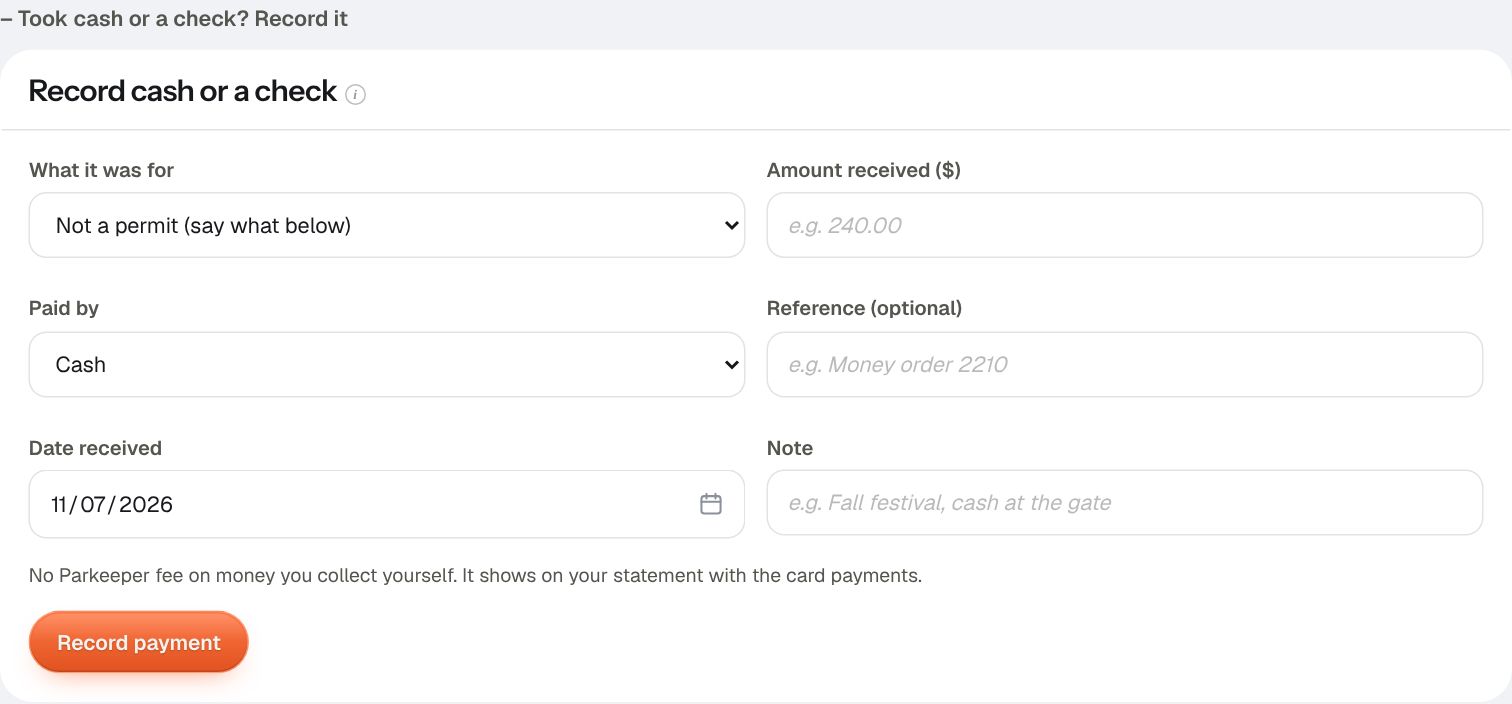
Recorded by mistake? Void adds a matching negative line; nothing is deleted, so the correction is visible to anyone reviewing the books.
Refund a payment
Refunds give money back to the card that paid. They're one deliberate step away (refund mode), so nobody gives money back by accident while looking at the ledger.
When to use it: someone paid twice, moved out right after renewing, was charged for the wrong permit, or you agree a refund to settle a complaint. Refunding promptly is also the best way to avoid a card dispute.
- On Money (or Permits), choose Refund a payment. The page enters refund mode.
- Find the card payment and choose Refund… next to it.
- Enter the Amount to refund (all of it, or part) and Why. The reason is required, because it goes in the Activity log and the email to the other admins.
- End the permit now (or pass) is ticked to start, for a partial refund too. Untick it to give money back but keep the permit, for example a goodwill partial refund.
- Choose Refund and confirm.
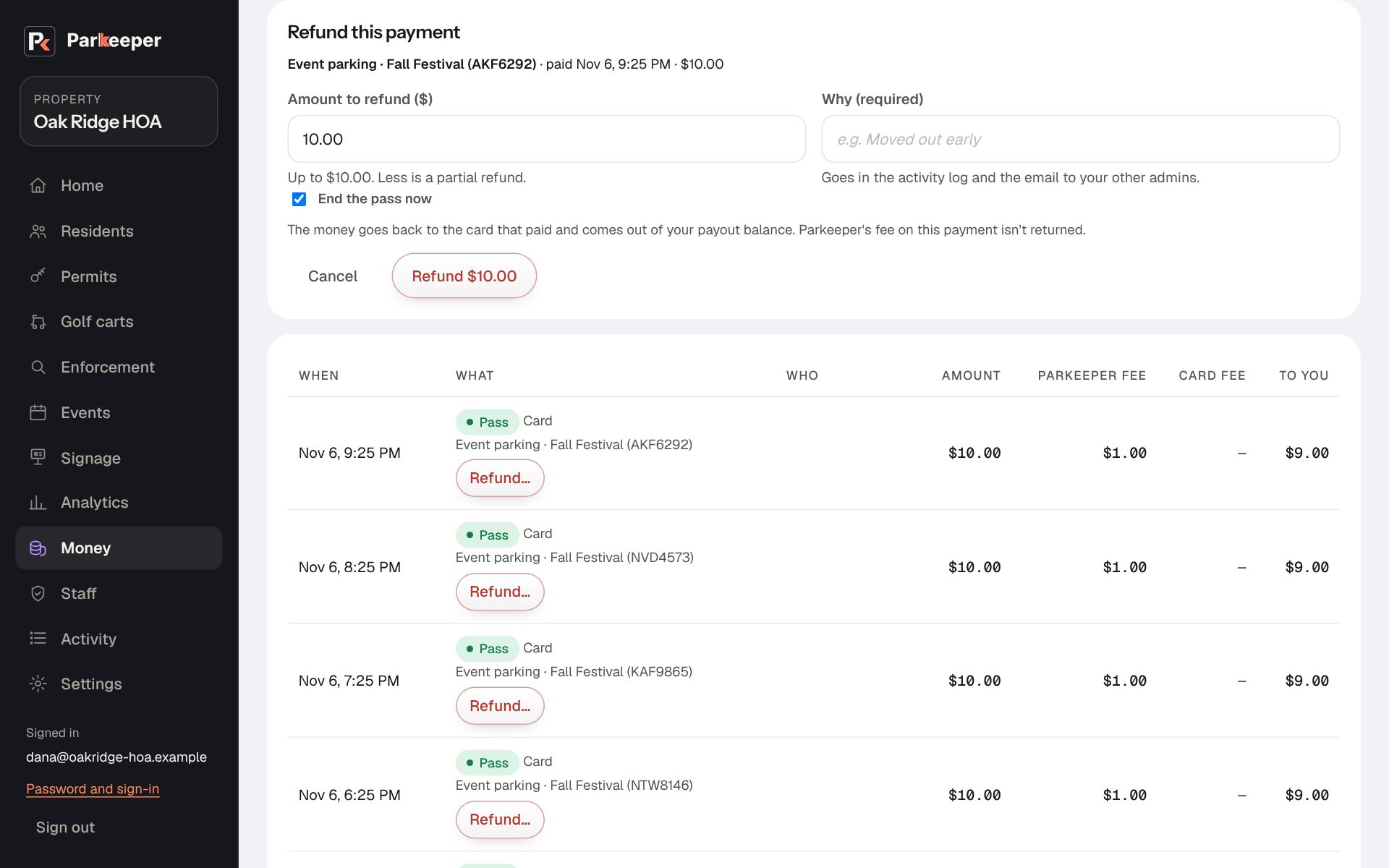
- The money goes back to the card that paid, from your payout balance.
- A negative line appears on Money, the Activity log names who refunded and why, and the other admins get an email, so no refund happens unseen.
- Parkeeper's fee on the original payment isn't returned.
- Choose Leave refund mode when you're done.
Payouts, disputes, and tax forms
On Money, choose Payouts and disputes. The tabs show your payout account from our payment processor, right in Parkeeper:
- Balance and payouts: what's in your balance, when it reaches your bank, and the bank account it goes to. Payouts run automatically; check here when a deposit looks late.
- Bank and business details: the bank account your payouts go to and the business details on file. To change the bank account, choose it here and enter the new one; you may be sent a code first. Settings › Getting paid links here too (See or change the bank account).
- Disputes: when a cardholder tells their bank they didn't authorize a payment or didn't get what they paid for. Answer with the permit or pass record, the plate, the dates, and any warnings with photos. Answer as soon as you can: the card network sets the deadline, and it can be as short as a week. An unanswered dispute is lost automatically. Money flags a dispute that needs you with Answer it.
- Tax forms: yearly tax forms for money your property collected by card, for your accountant.
Monthly statement
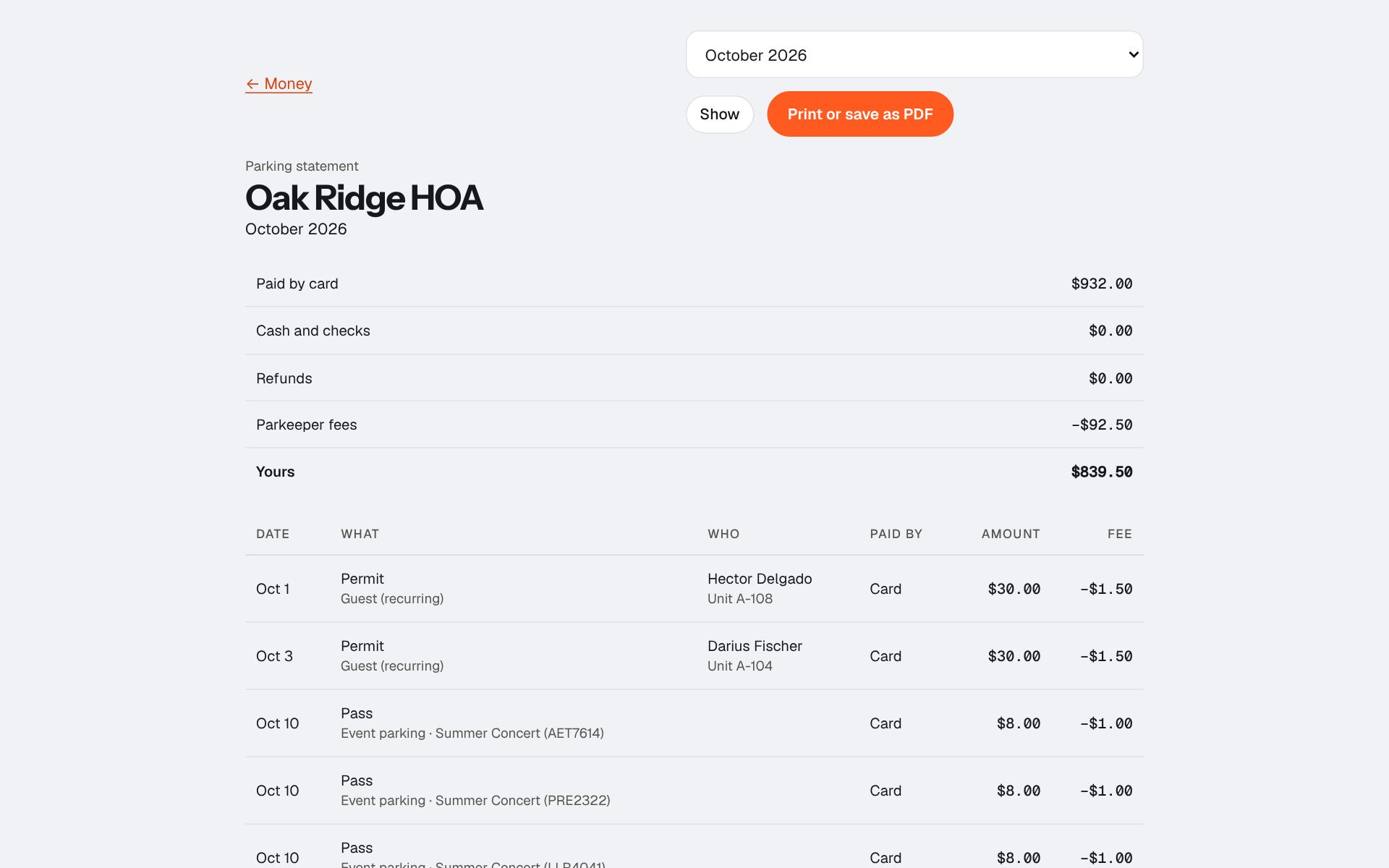
Monthly statement on Money shows one month on a printable page: paid by card, cash and checks, refunds, Parkeeper fees, and what's yours, line by line. Pick the month and choose Print or save as PDF.
When to use it: at month end, for your treasurer, the board packet, or your bookkeeper.
Export your records
Download CSV on Money, Residents, and Permits gives a spreadsheet of each, for your accountant or another system. Export your records, at /export on your property's address, has all three in one place; Settings › Your Parkeeper plan links to it when you pause, cancel, or your plan has ended. Export before a board handoff or an audit, or any time you want your own copy.